
Using Peeps · Explore
Activity & stats
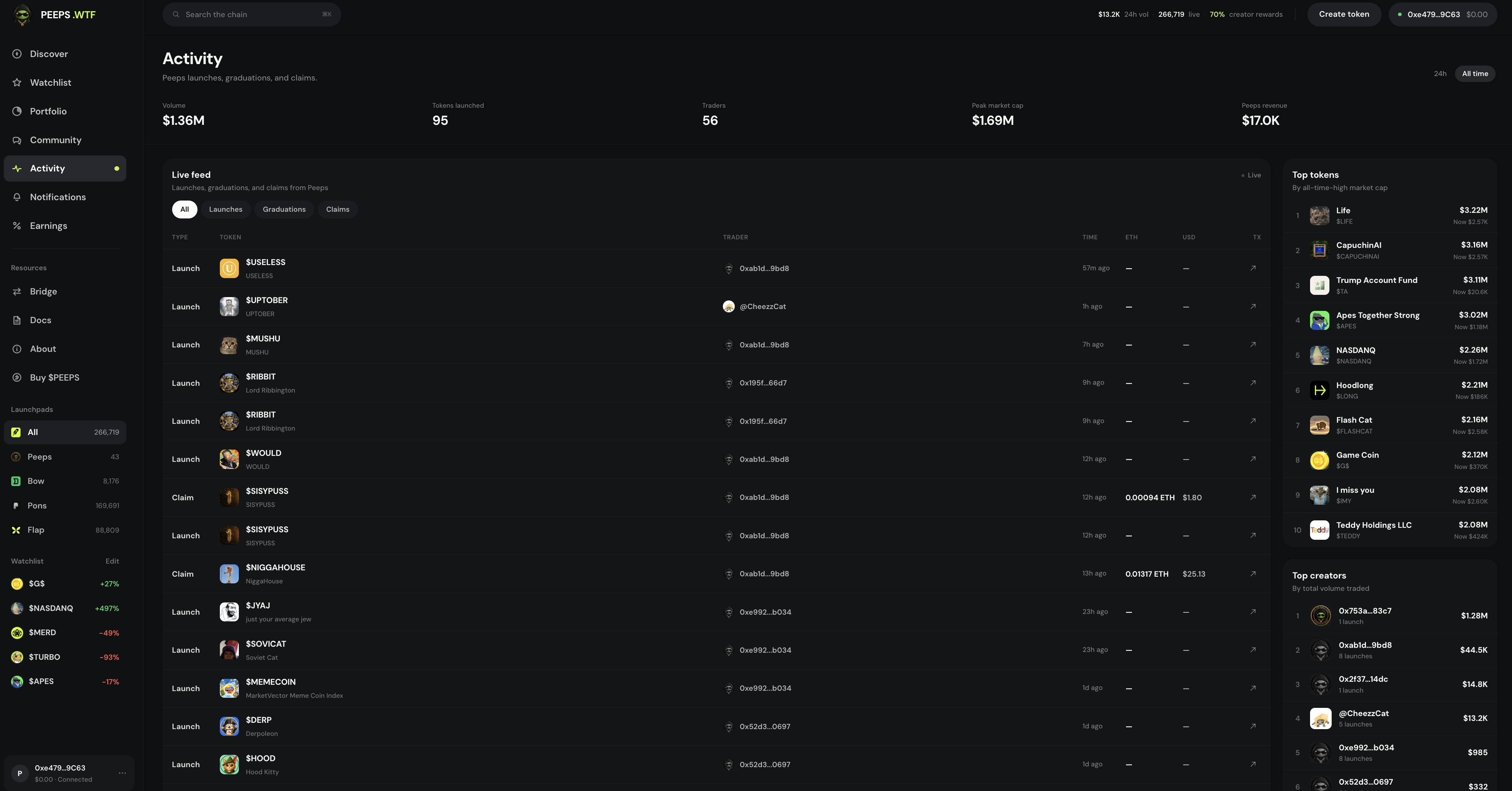
Platform pulse at /launchpad/activity — 24h or All time stats, Top tokens, Top creators, and a Live feed you can filter.
At a glance
Platform timeline at /launchpad/activity — 24h/All time stats, Top tokens · Top creators, Live feed filters All/Launches/Graduations/Claims. Not the same as Profile → Activity.
Quick tip
Leaderboards are attention, not endorsement. Sidebar → Activity or footer Stats.
Activity (/launchpad/activity) is the pulse of the platform: period stats, leaderboards, and a live feed of launches, graduations, and claims. If Discover is a catalog of what you can browse, Activity is the timeline of what just happened.
Traders use it to spot fresh launches and graduation moments without staring at every Discover tab. Creators glance here to see whether the board is loud or quiet, and to open profiles of wallets that are shipping volume. It sits next to Discover in the sidebar so you can flip between catalog and timeline in one session.
Nothing on Activity is investment advice. A launch appearing in the Live feed only means the event was indexed — not that the token is safe, audited, or likely to rise. Graduation rows mean a Classic V3 (or supported) launch hit its progress condition; they are not a seal of approval.
Open Activity from the sidebar, the launchpad footer Stats link, or by going straight to /launchpad/activity. Profile → Activity is different: that tab is one wallet’s history, not the whole platform feed.
Where to find it
- Sidebar / menu → Activity
- Direct route: /launchpad/activity
- Launchpad footer → Stats (same Activity experience)
- Not the same as Profile → Activity (per-wallet feed)
Stats band
The stats band summarizes platform activity for a period you choose. Switch between 24h and All time depending on whether you care about the recent pulse or longer totals. Numbers move as the indexer catches up — treat them as directional, not as a trading signal by themselves.
- 24h — recent pulse for the last day
- All time — longer cumulative view
- Use period chips on the stats band before you read leaderboards
Top tokens and Top creators
Top tokens highlights standout market metrics for the selected period. Top creators ranks wallets by activity / volume. Click any row to open a token page or public profile — then still verify contracts before you trade.
Live feed filters
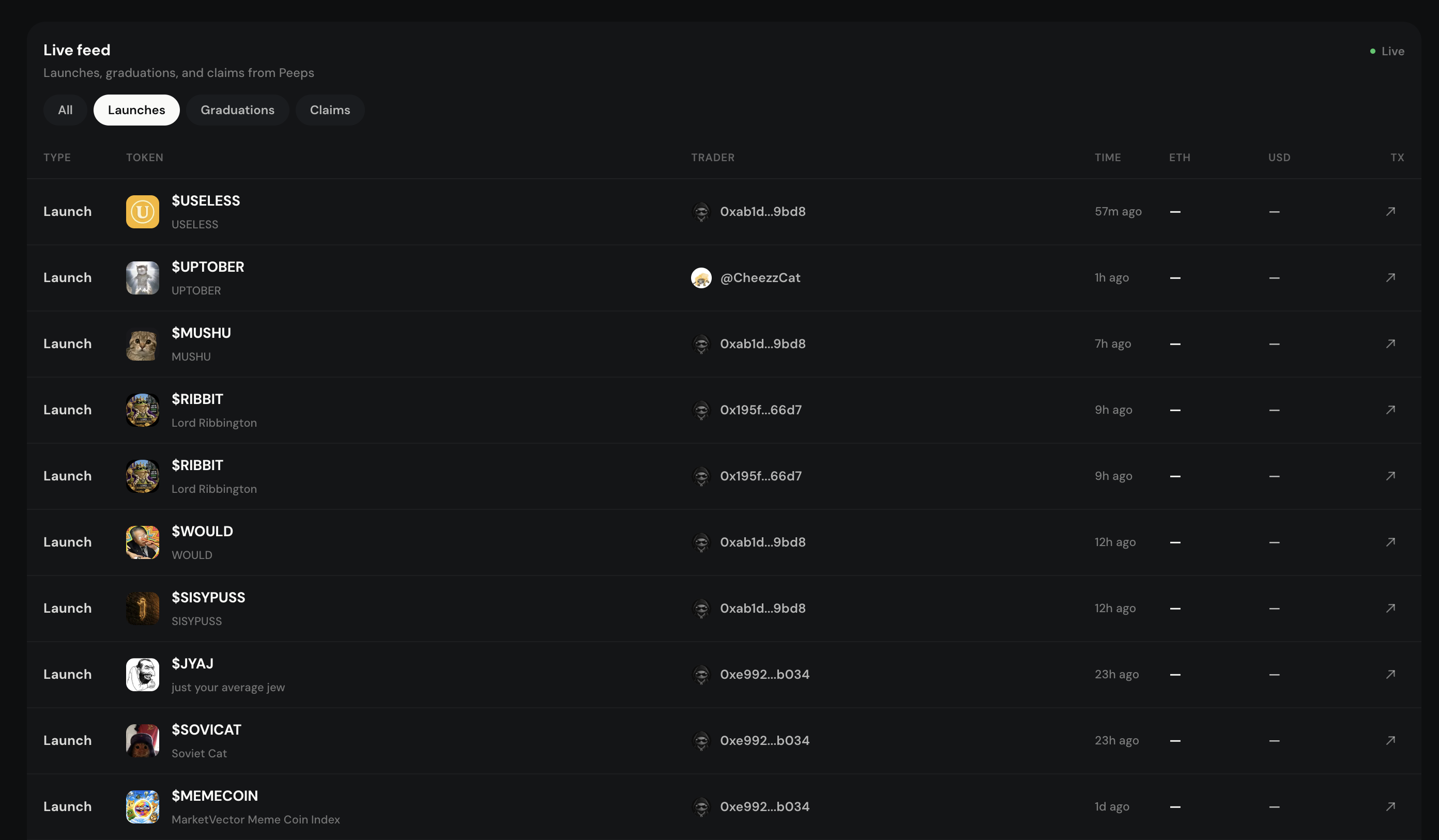
The Live feed is a running timeline. Filter it when you want less noise: All keeps everything; Launches focuses on new publishes; Graduations focuses on stage changes into pools; Claims focuses on fee / reward claim events.
Pick a period
Use 24h when you want the recent pulse, or All time for longer totals on the stats band.
Scan Top tokens or Top creators
Leaderboards highlight standouts — not endorsements. Click through for context, then verify the contract on the token page.
Filter the Live feed
Choose All / Launches / Graduations / Claims, then open rows that matter to you. Star interesting tokens into Watchlist if you want to revisit later.
Timeline, not advice
Activity’s Live feed and leaderboards describe what happened. They do not tell you what will happen next. Pair them with Discover when you are ready to browse, and always open the token page before sizing a trade.
- Activity = timeline; Discover = catalog
- Footer Stats opens the same Activity view
- Star interesting tokens into Watchlist
Terms you will see
- Activity
- Platform timeline at /launchpad/activity — stats, leaderboards, Live feed.
- 24h / All time
- Period chips on the stats band.
- Top tokens / Top creators
- Leaderboards of standout tokens and active creators — not endorsements.
- Live feed filters
- All · Launches · Graduations · Claims.
- Footer Stats
- Launchpad footer deep-link into the same Activity experience.