
Using Peeps · Trading
Buy & sell
Trade from the token page Buy / Sell panel — quotes, slippage, presets, pause windows, and wallet confirmation.
At a glance
Buy/Sell with 25/50/75/Max presets, slippage, and quote rows — watch graduating, anti-bundle, and anti-snipe notices.
Quick tip
Check slippage and the receive estimate before you sign. Quotes can move quickly on thin markets.
Trading on Peeps happens on the token page. You open a launch from Discover, Activity, Community, Watchlist, or a shared link, then use the Buy / Sell panel beside the chart. The UI routes you through the right mechanism for that token’s stage — early launch progress vs graduated pool — but you always review the quote before you sign.
Meme markets move quickly. Treat every quote as an estimate until your wallet confirms. If the simulation in your wallet differs a lot from the on-screen numbers, cancel, refresh, and try again. Gas on Robinhood Chain is paid in ETH and sits on top of trading fees (and on Tax V4, both the 1% LP fee and any create-time buy/sell tax).
Classic V3 trades use a 1% pool fee (70% creator / 30% protocol of LP fees). Tax V4 also has a 1% LP fee (70/30) and, separately, the buy/sell tax the creator set at launch (1–10%). Aggregator swaps through Peeps may include a 0.25% aggregator fee. Read the quote rows — they are the live fee context for this trade.
A common misconception: a failed trade means Peeps is “down.” Check network (Robinhood Chain), ETH for gas, approvals on sells, slippage, and pause notices (graduating, anti-bundle, anti-snipe) before you assume a bug.
Open a token
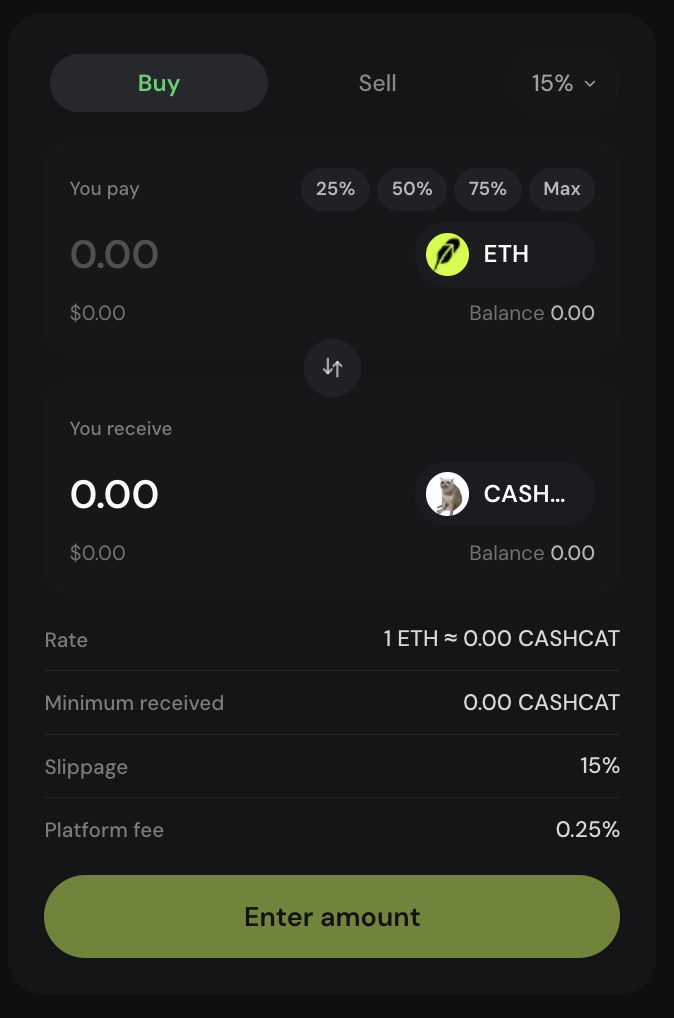
From Discover (/launchpad), Activity, Community, Callouts, Watchlist, or a shared Peeps URL, open the token page. You will see identity (name, ticker, image), market stats, a bonding / progress chart or graduated Dex-style chart, recent trades, social links, community chat, and the Buy / Sell panel.
Place a trade
Choose Buy or Sell
Buy spends ETH for tokens. Sell returns tokens for ETH. Make sure the toggle matches your intent before you type a size.
Enter an amount
Type a size or use presets 25 / 50 / 75 / Max. The panel shows quote rows (estimated receive, fees, and related lines). For sells, you may need a one-time token approval before the swap can execute.
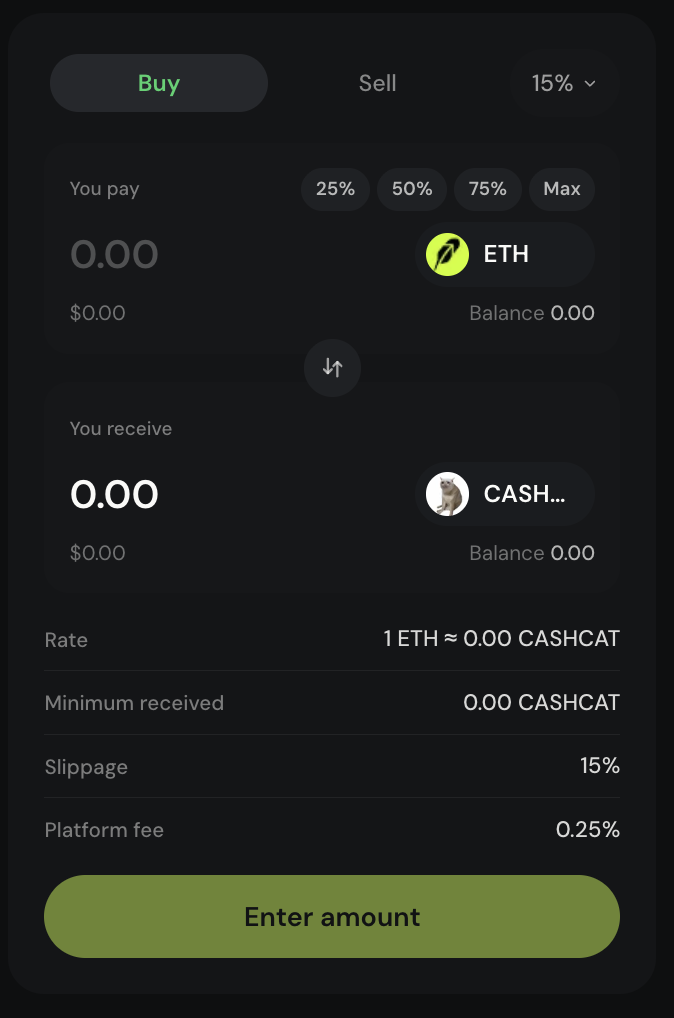
Presets 25/50/75/Max speed sizing; the estimate updates as you type. Review fees and slippage
Platform and pool fees are reflected in the quote. Classic V3 trades use the 1% pool fee; Tax V4 shows the 1% LP fee plus the creator’s buy/sell tax; aggregator routes may show 0.25% (see Fees). Adjust slippage if markets are fast.
Confirm in your wallet
Hit the trade button, then approve in your wallet. Wait for confirmation before assuming it settled.
Early launch vs graduated
Before graduation you trade through the bonding-curve / launch path (Classic V3 or Tax V4). After graduation you trade in the DEX pool. Charts may switch from Line / Candles with 1M · 5M · 1H · ALL to a graduated DexScreener view. The Buy / Sell panel still works the same way: amount → quote → sign.
| Topic | Before graduation | After graduation |
|---|---|---|
| Pricing feel | Launch / bonding-curve dynamics | Pool / Dex market dynamics |
| Chart | Line or Candles · 1M / 5M / 1H / ALL | Often DexScreener for graduated tokens |
| Fees (Classic V3) | 1% pool trading fee (70% creator / 30% protocol of LP fees) | 1% V3 pool fee with locked liquidity (see Fees) |
| What you do in UI | Buy / Sell → review → sign | Buy / Sell → review → sign |
Pause and limit notices
Sometimes the trade panel shows a pause or limit instead of a normal quote. These are expected product states — not random bugs.
- Graduating — when the bonding curve is full, buys may pause while graduation runs; sells can still work
- Anti-bundle / fair-launch window — during the short shared clearing window, sells may be paused while buyers commit at one price; settle pays out pro-rata after
- Anti-snipe caps — early buys that exceed the per-wallet / per-buy cap are rejected (you will see a snipe-limit style message)
Slippage in plain language
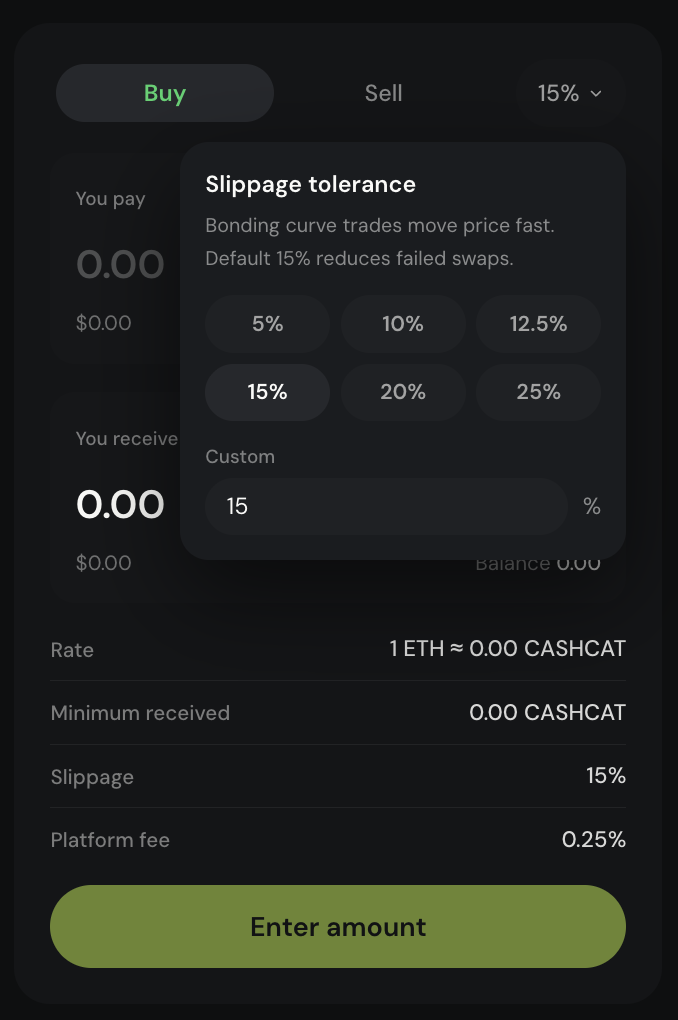
Slippage is how much price movement you allow between the quote you saw and the execution you accept. In fast meme markets, very tight slippage can cause frequent failures; very loose slippage can fill at a worse price than you expected. Change it deliberately, not out of habit.
Slippage in practice
Slippage is how much price movement you allow between the on-screen quote and the fill you accept. In fast meme markets, very tight slippage causes frequent failed transactions; very loose slippage can fill worse than you expected. Change it deliberately when trades fail, then re-check the wallet simulation before you sign.
- Presets: 25 / 50 / 75 / Max
- Tighter slippage = more failed txs in volatility
- Cancel if the wallet simulation looks wrong
Terms you will see
- Buy / Sell panel
- The trading module on a token page where you enter size, review a quote, and confirm.
- Presets
- 25 / 50 / 75 / Max quick sizing controls on the trade panel.
- Slippage
- Tolerance for price movement between quote and execution.
- Bonding curve
- Early bonding-curve pricing path before graduation into a pool.
- Anti-snipe cap
- Early buy limit traders may hit during the opening anti-snipe window.
- Anti-bundle window
- Short fair-launch clearing period where commits share one price; sells may pause.
- Gas
- ETH network fee on top of curve, aggregator, pool, or tax costs.