
Fees & rewards
Creator earnings
What creator earnings are, how Classic V3 and Tax V4 pay creators, when balances show up, and how to claim safely.
At a glance
Creator LP/fees on the token page or Profile → Created. Referrals and Tax holder dividends claim elsewhere — see the decision tree on this page.
Quick tip
Earnings only appear when people actually trade. Volume is never guaranteed.
Creator earnings are Peeps’ way of paying the person who launched a token when other people trade it. You are not paid for publishing alone — you earn a disclosed share of eligible trading fees when real volume happens. If nobody trades, nothing accrues. If volume is thin, earnings stay small. That is intentional: rewards follow activity, not hope.
Peeps is built so creators keep building. On eligible volume, creators receive a disclosed share of trading fees — both before and after graduation for supported Classic V3 and Tax V4 launches. Earnings only appear when people actually trade. There is no guaranteed income from publishing a token, and graduation is not a payday by itself.
On Classic V3 launches, the pool fee is user-visible: 1% on eligible swaps, with 70% of LP fees to the creator and 30% to the protocol. That same 1% pool fee path continues after graduation. Tax V4 also uses a 1% LP fee with 70% creator / 30% protocol of LP fees — and separately your treasury / burn / dividend / liquidity buy/sell tax — so earnings can include both LP claims and tax paths depending on how you configured the launch.
A common misconception is that creator share is free money Peeps wires to you automatically. It is not. Balances become claimable on the token page and Profile → Created when the product shows them, and you withdraw with a wallet signature plus gas. Another misconception is that referrals and creator fees are the same pipe — they are related ideas (both reward activity) but claim in different modals. Holder Tax dividends are a third path. Read Fees for the Classic V3 split and Tax launch (V4) for tax-bucket mechanics.
Where earnings show up
Creator earnings appear on Profile when eligible volume accrues on your launches. On Classic V3 trades the disclosed split is 70% creator / 30% protocol of the 1% pool LP fees. Claiming is an on-chain transaction — no volume means no income, and graduation does not end participation on supported launches.
- Open /launchpad/profile → Created (filter Claimable fees when ready)
- Keep ETH for gas when you claim
- Confirm fees in the create and claim UIs
How earnings work
- People trade your token through Peeps on eligible routes
- A disclosed creator share accrues according to the launch type and live fee schedule
- Balances become claimable on your Profile when available
- You sign a wallet transaction to claim — Peeps does not custodially pay out off-chain
| Share | Amount | Goes to |
|---|---|---|
| Creator | 70% of LP fees | Token creator |
| Protocol | 30% of LP fees | Peeps platform & ecosystem |
| Pool trading fee | 1% | Total fee on eligible Classic V3 swaps |
Where to claim what
Peeps has three different claim surfaces. Opening the wrong one is the most common mix-up — use this table before you dig for a balance.
| What you earned | Where to claim | Asset you usually receive |
|---|---|---|
| Creator LP / trading fees on a token you launched | Token page → Claim fees / Fees & dividends (or Profile → Created → Claimable fees) | ETH / WETH per the claim panel |
| Tax V4 holder dividends (you hold enough of someone else’s Tax token) | That token’s page → Fees & dividends → Tax dividends (holders) | ETH and/or tokens per the dividend row — not Referrals |
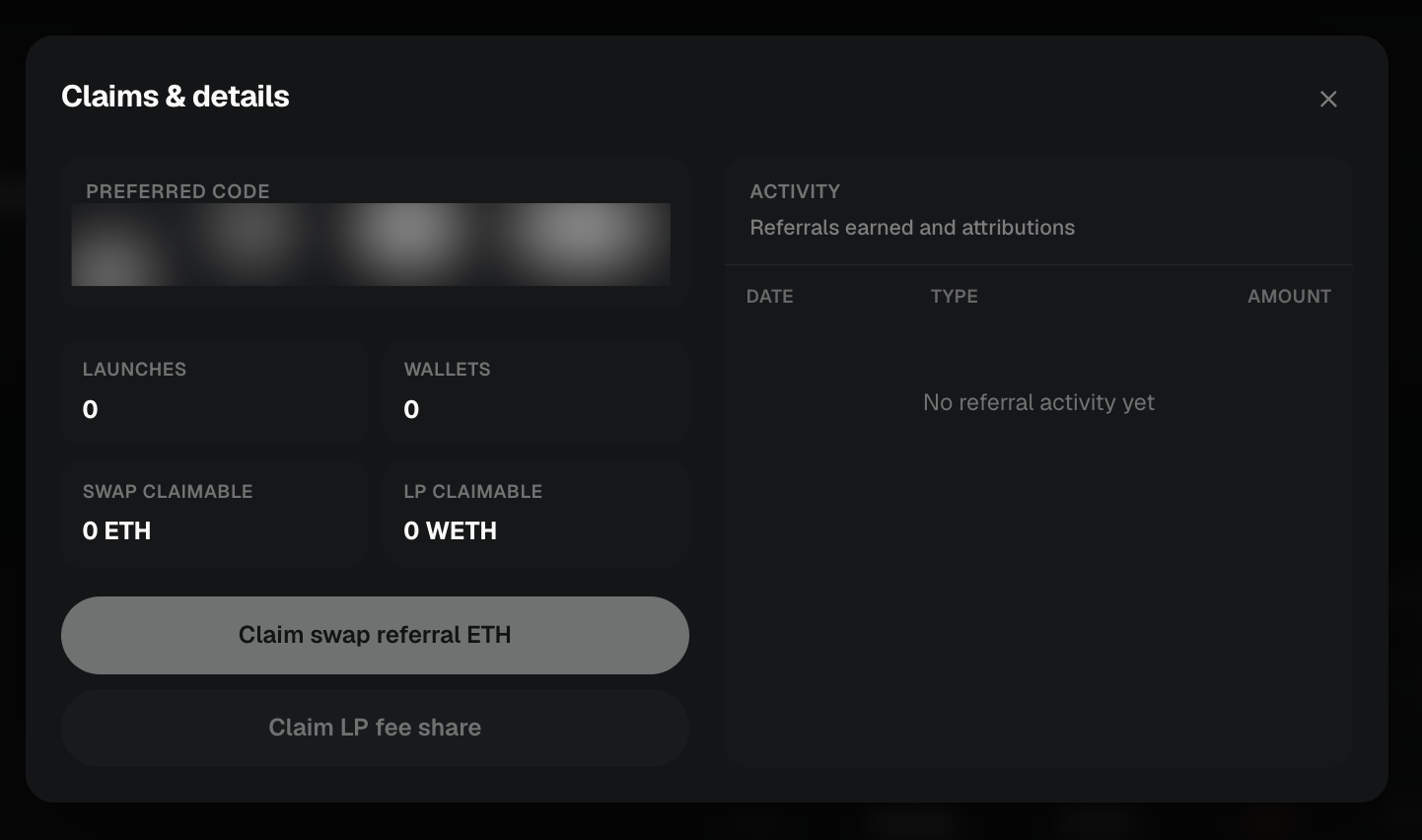
| Referral rewards (invite attributed launches / Peeps-routed swaps) | Profile referral card or /launchpad/referrals → Claims & details | Swap stream as ETH; LP stream as WETH — claim separately |
How to claim creator fees
Open Profile or the token page
Go to /launchpad/profile with the creator wallet, or open the token and use Claim fees / Fees & dividends.
Check Created (and Claimable fees filter)
On Profile → Created, filter to Claimable fees when a balance is ready. If nothing is claimable yet, you likely need more eligible volume — or pending indexing after recent trades.
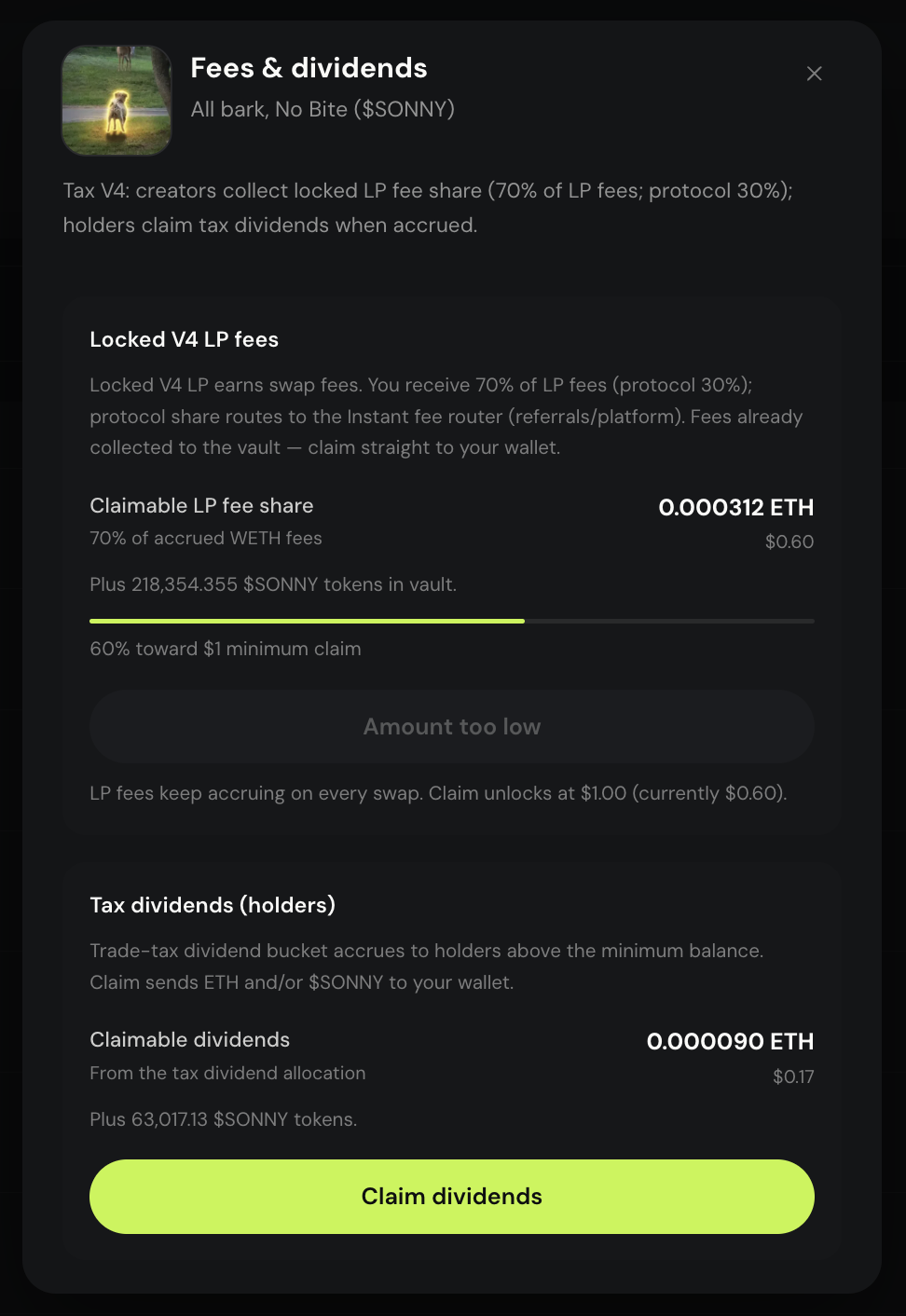
Claim signs a transaction — confirm the network is Robinhood Chain. Claim in your wallet
Follow the claim action and approve in your wallet. Keep ETH for gas. Wait for confirmation before re-clicking claim.
- Creator fees: token page or Profile → Created
- Referrals: /launchpad/referrals Claims (ETH + WETH streams)
- Tax holder dividends: token page Fees & dividends only
After graduation
Graduation does not end creator participation on supported launches. For Classic V3, trading moves to the locked Uniswap V3 pool with a 1% pool fee, and creator earnings continue on eligible volume per live terms. Keep communicating with holders — graduated tokens still need a community.
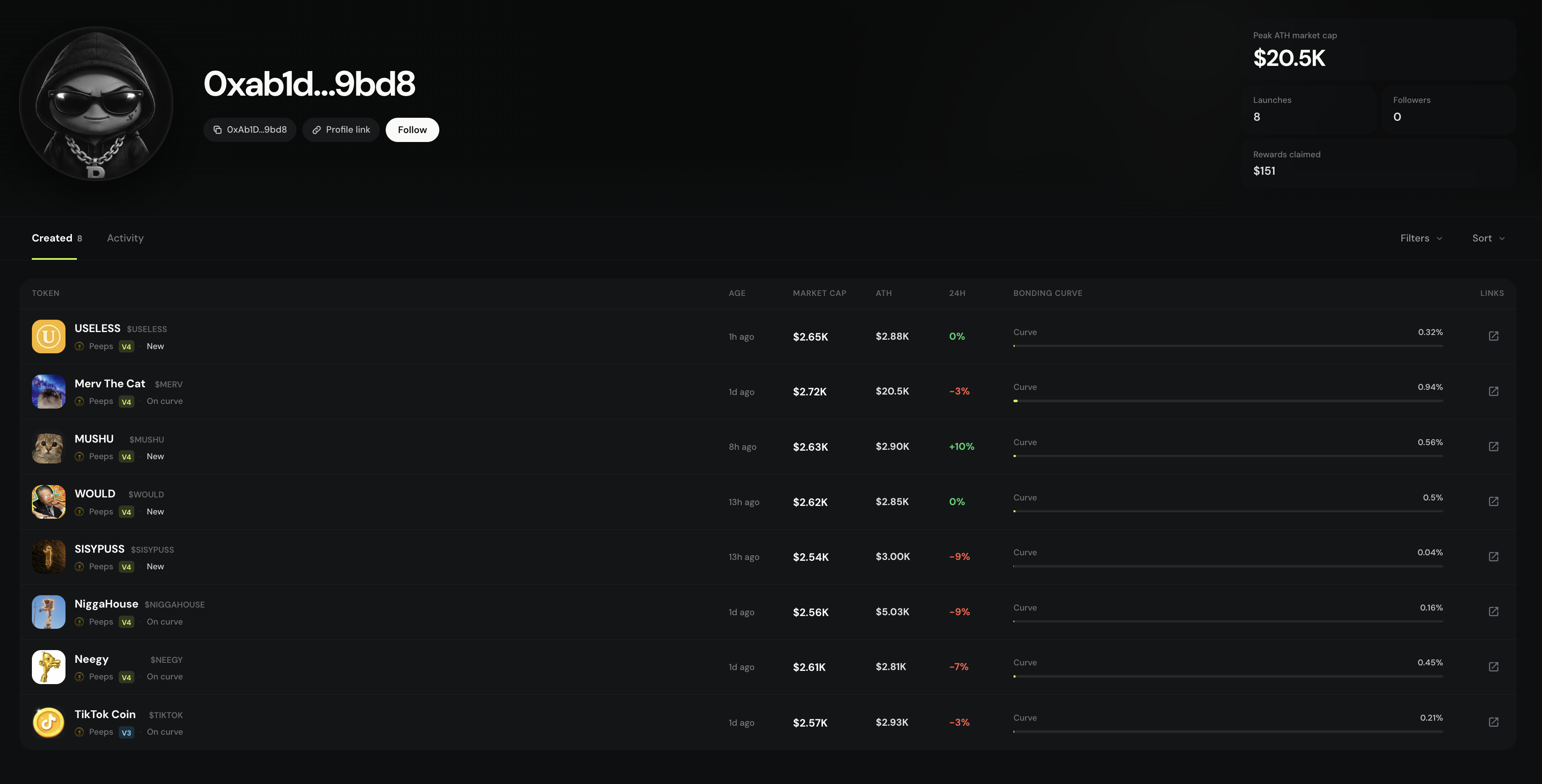
Created is your launch index
Profile → Created lists every launch from the connected wallet so you can reopen token pages, check progress, and follow claimable fees over time. Earnings on Classic V3 trades use the disclosed 70% creator / 30% protocol of the 1% pool LP fees — only on eligible volume that actually trades.
- Created ≠ automatic income
- Graduation does not end creator participation on supported launches
- Pair with Referrals if you also share invite links