
Using Peeps · Social
Callouts
Short community spotlights that live inside Community — how windows open, where feeds appear, and why they are not advice.
At a glance
After a qualifying trade (~0.01 ETH+), a ~15-minute window can open callout mode in Thread; feeds live in Community For you / Following.
Quick tip
Spotlight ≠ safety. If the composer is not in callout mode, there is no window to force.
Callouts let eligible traders highlight a token during a short window after meaningful trading activity. They are a social spotlight tied to real trading — not a paid ad slot, not a Peeps endorsement, and not a promise that price will move.
Callouts live inside Community (/launchpad/community) under For you and Following. There is no separate callouts board: /launchpad/callouts redirects to Community so everyone lands in the same place. You can also enter callout mode from a token’s Thread when a window is open.
Eligibility and timing are enforced in-product. After you make a qualifying trade on a token (product minimum is on the order of 0.01 ETH), a short callout window can open — about fifteen minutes — and the Thread composer can switch into callout mode (or show the callout prompt pill). If the composer is not in callout mode, there is no window to force. Follow callers whose judgment you trust so their highlights land under Following.
- Who can post: the wallet that just made the qualifying trade, while their window is still open
- Where it appears: token Thread callout mode, then feeds under Community → For you / Following
- Who cannot force it: bystanders without a recent qualifying trade on that token
Creators should remind holders that a callout is culture, not due diligence. Traders should open the token page, copy the contract, and size as if the call can be wrong — because it can.
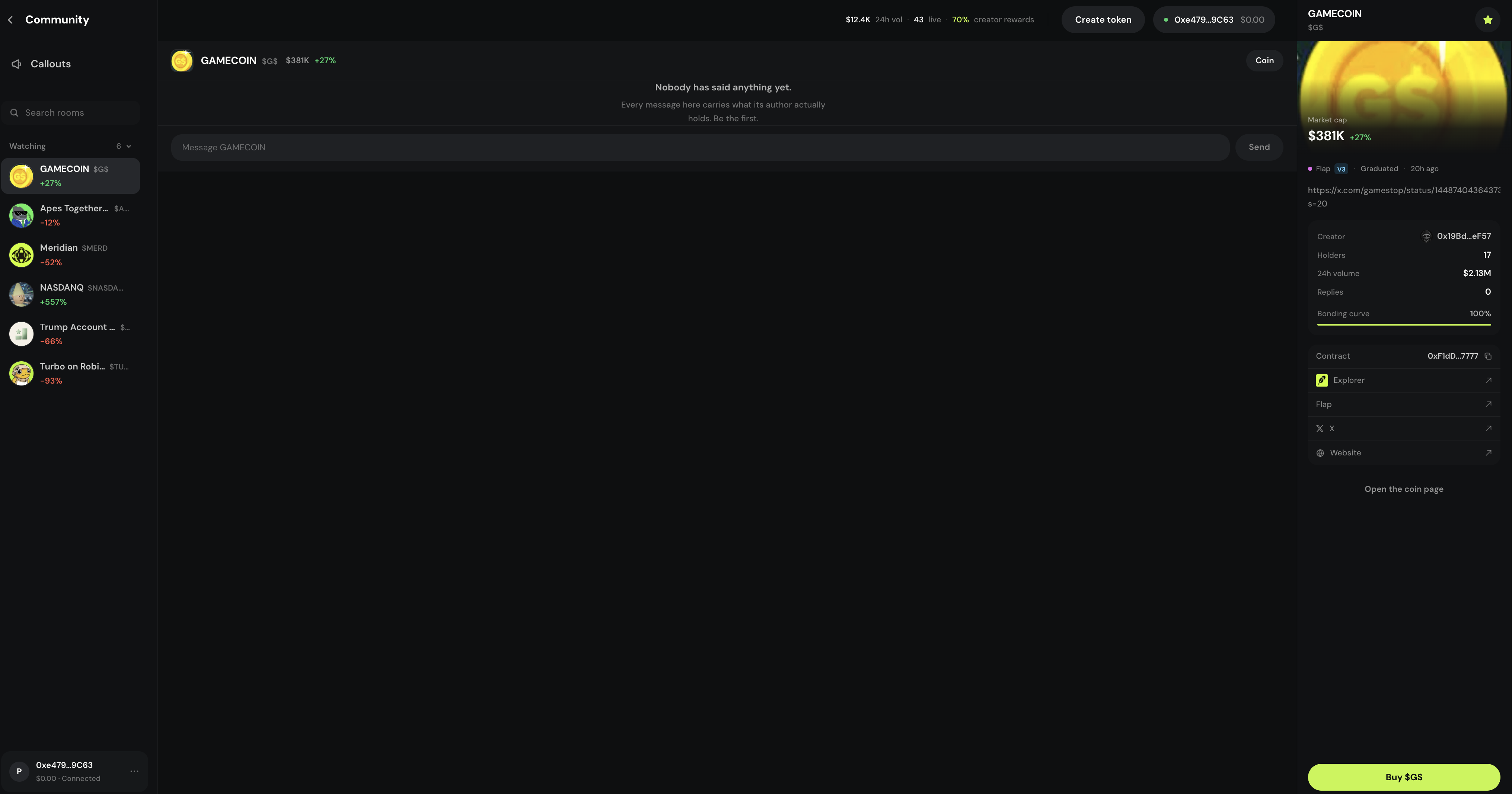
One home in Community
Open /launchpad/community (or follow the redirect from /launchpad/callouts). Use For you for discovery, Following for callers you follow, and the caller leaderboard for who’s been active. Open any callout into the token page to verify the contract.
- Composer shows callout mode only when a window is open
- Eligibility is enforced in-product
- Spotlight ≠ safety
Where to find it
- Sidebar / menu → Community → For you / Following
- Token Thread — callout mode when a window is active
- Caller leaderboard beside Community feeds
- /launchpad/callouts → redirects to /launchpad/community
What a callout window is
A callout window is a short, product-gated period when eligible wallets can post a callout for a token. It usually follows meaningful trading. The UI labels callout mode in the composer when the window is open and whether you qualify.
Trade and open Thread
Callout opportunities are tied to meaningful trading and an open window. After you trade, open the token’s Thread on the token page.
Watch for callout mode
When a window is active, the composer indicates callout mode and shows whether you are eligible. If you do not see it, there is nothing to force.
The composer labels callout mode when a window is open. See it in Community
Successful callouts can surface under Community → For you / Following. Remind your community that spotlight ≠ safety.
What callouts are not
- Not investment advice from Peeps
- Not a guarantee of price movement
- Not a substitute for verifying the contract on the token page
- Not a separate app destination — they live in Community
- Not proof that a caller is always right — follow is social, not fiduciary
Callers, not tips
The caller leaderboard ranks active callers — it does not rank token safety. Follow callers whose judgment you trust, then still verify every contract yourself.
- Follow from profiles or rooms
- Following tab shows their callouts
- Always open the token page before trading
Caller leaderboard
Image placeholder
Terms you will see
- Callout
- Short community spotlight during an eligible window — not advice.
- Callout window
- Short post-trade period (~15 minutes after a qualifying trade) when callout mode appears in the composer.
- For you / Following
- Community tabs where callouts are browsed.
- Caller leaderboard
- Activity ranking of callers — not a safety ranking of tokens.