
Getting started
Wallet & network
Non-custodial connect on Robinhood Chain — gas in ETH, Bridge when needed, and why wrong network fails silently.
At a glance
Your wallet is your identity. Always confirm you are on Robinhood Chain before signing.
Quick tip
Missing Robinhood Chain? Add it as a custom network — Chain ID 4663. Need ETH from elsewhere? See Bridge.
Peeps is a non-custodial app. Your wallet holds the keys; Peeps shows interfaces and builds transactions for you to approve. Understanding connect, network, and gas will save you from the most common “nothing happened” failures.
Watchlist stars, profile edits, community posts, callouts, referral claims, notifications, and trading all assume a connected wallet. Some actions also ask you to sign in (a signature that proves you control the address) so Peeps can sync account preferences safely — that message should not transfer funds.
All Peeps launchpad activity settles on Robinhood Chain. If your ETH is still on another chain, open Resources → Bridge, wait for funds, then confirm the wallet network before you trade or create. Buy $PEEPS also lives under Resources when you want the community token — optional for using the launchpad.
Gas is always Robinhood ETH and always separate from Peeps platform fees (Classic V3 1% pool fee, aggregator 0.25%, Tax V4 1% LP fee plus create-time buy/sell tax). Keep a small Robinhood ETH buffer so swaps, launches, and claims do not fail mid-flow. Ethereum mainnet ETH must be bridged via Resources → Bridge first.
Confirm Robinhood Chain
Before you trade or create, open your wallet network list and confirm Robinhood Chain is selected. Peeps launchpad activity settles on that network — staying on Ethereum mainnet or another chain is the fastest way to get a failed or invisible transaction. If Peeps prompts a switch, accept only when the destination is Robinhood Chain.
- Wrong network is the top “nothing happened” cause
- Refresh the token page if a quote looks stuck after switching
- Gas needs Robinhood ETH — Bridge from Ethereum if needed
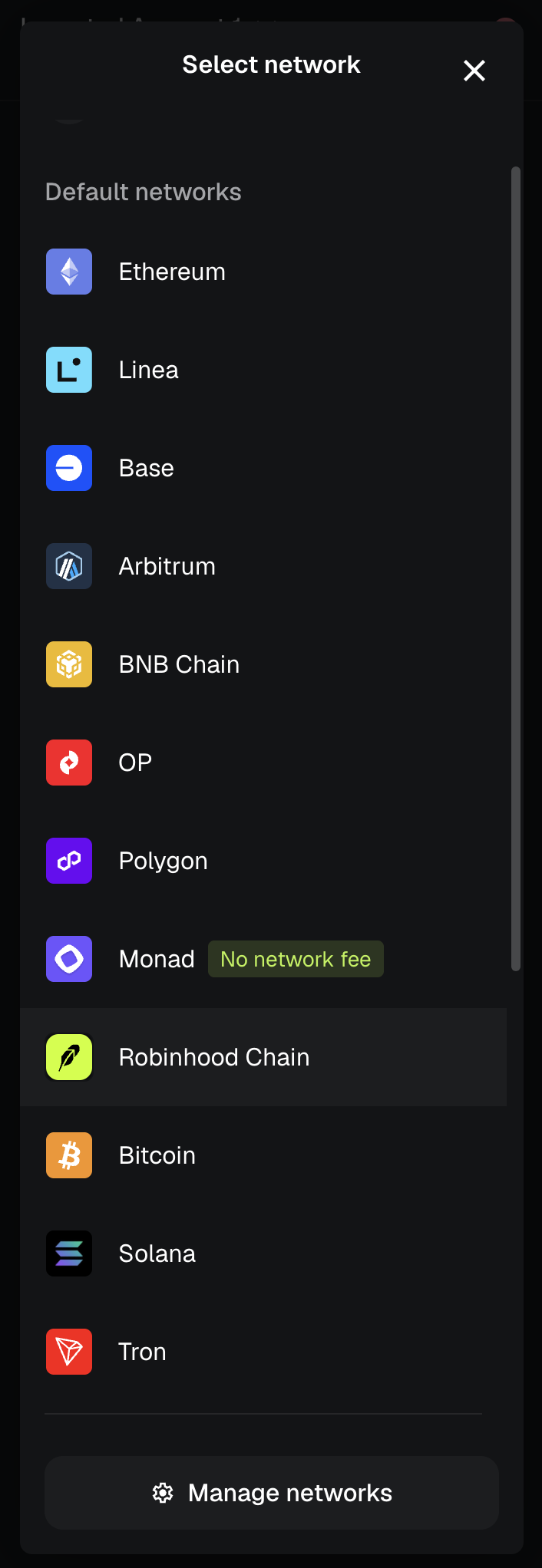
Your wallet is you
When you buy, sell, launch, or claim, you sign transactions from your own wallet. Peeps does not hold your funds and cannot move them without your signature. If you disconnect, you can reconnect later with the same address to pick up watchlist items and profile data tied to that wallet.
Connect flow
Open Connect
Use the Connect control in the site header on desktop, or the account entry on mobile. Choose your wallet provider from the list.
Approve in the wallet
Your wallet pops a connection request. Confirm you are on peeps.wtf. Decline unexpected chain or permission prompts that do not match what you clicked.
Sign in when prompted
Some features ask for a one-time sign-in message (not a transfer). Read it — it should not move funds. After signing, profile and social features unlock more fully.
Robinhood Chain
All Peeps launchpad activity settles on Robinhood Chain. Token creates, curve trades, tax trades, graduated pool swaps through Peeps, and claim transactions expect that network. If your wallet is on the wrong network, transactions will fail, simulate incorrectly, or never appear in the UI.
Add / import Robinhood Chain
Many wallets do not list Robinhood Chain by default. You can add it manually (often labeled Add network, Import network, or Custom RPC). Peeps may also prompt you to switch or add the network when you connect — accept only if the details match the table below.
Open network settings
In Rabby, MetaMask, or another EVM wallet, open Networks / Settings and choose Add network or Add a custom network.
Paste Robinhood Chain details
Enter the Network name, RPC URL, Chain ID, currency symbol (ETH), and Block explorer URL from the table below. Double-check the Chain ID is 4663 — a wrong ID sends you to the wrong chain.
Save and switch
Save the network, then select Robinhood Chain as the active network before you trade or create on peeps.wtf.
| Field | Value |
|---|---|
| Network name | Robinhood Chain |
| RPC URL | https://rpc.mainnet.chain.robinhood.com |
| Chain ID | 4663 |
| Currency symbol | ETH |
| Block explorer | https://robinhoodchain.blockscout.com |
- Switch networks in your wallet before you hit Confirm on a trade or launch
- If Peeps prompts you to switch, accept the switch only if the destination is Robinhood Chain
- After switching, refresh the token page if the quote looks stuck or empty
Gas
Robinhood Chain gas is paid in Robinhood ETH — ETH that already sits on Robinhood Chain (Chain ID 4663). Ethereum mainnet ETH cannot pay that gas until you bridge. Gas is separate from Peeps platform fees (Classic V3 1% pool fee, aggregator 0.25%, graduated pool fees, and Tax V4’s 1% LP fee plus any create-time buy/sell tax). Keep a small Robinhood ETH buffer so swaps and launches do not fail mid-flow.
| Cost | Paid in | When you see it |
|---|---|---|
| Network gas | Robinhood ETH | Every on-chain action — trade, create, claim, approve |
| Classic V3 trading fee | Built into the trade | Eligible Classic V3 buys/sells (see Fees) |
| Aggregator fee | Built into the swap | Supported aggregator swaps through Peeps (see Fees) |
| Tax V4 LP fee (1%) | Built into the trade | 70% creator / 30% protocol of LP fees — not the buy/sell tax |
| Tax V4 buy/sell tax | Token / trade path | 1–10% set at create — stacks on top of the 1% LP fee |
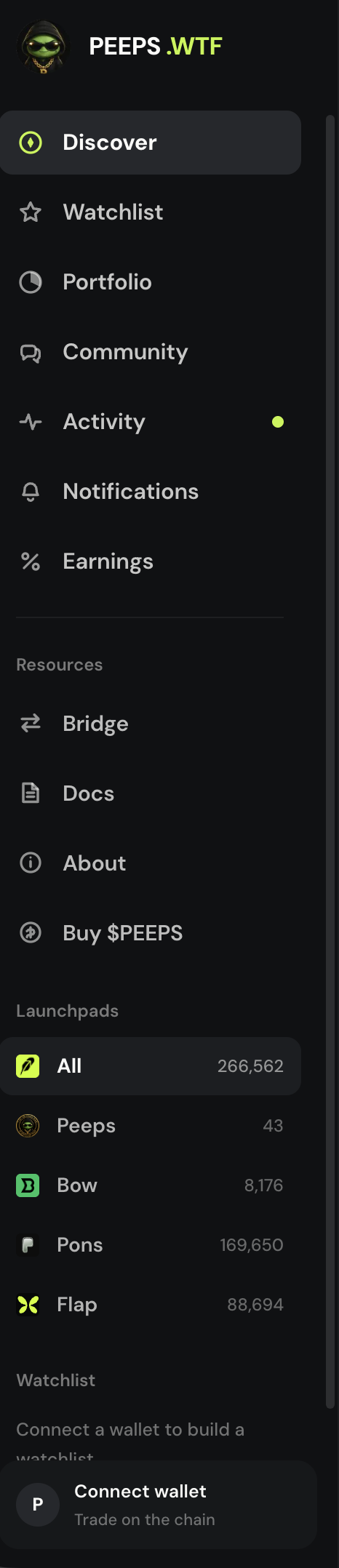
Bridge Ethereum ETH → Robinhood ETH
If your balance still sits on Ethereum mainnet (or another chain), open Resources → Bridge before you try to trade or launch. Bridging moves ETH onto Robinhood Chain so gas and buys can settle. Wait for funds to arrive, then refresh Peeps and confirm the wallet network shows Robinhood Chain.
- Bridge lives with Docs and Buy $PEEPS
- Gas and buys both need Robinhood ETH
- Do not size a large trade while a bridge is still pending
Approvals and signatures
Selling tokens or interacting with some pools may require an approval transaction before the swap. Approvals are normal; read the wallet summary so you know which token you are approving. Sign-in messages for profile features should never transfer assets — if a “login” prompt tries to send ETH, cancel and leave the site.
Terms you will see
- Non-custodial
- You hold the keys; Peeps cannot move funds without your wallet signature.
- Sign-in
- A message signature that proves you control an address — it should not transfer assets.
- Network switch
- Changing your wallet to Robinhood Chain so Peeps transactions can succeed.
- Gas
- Robinhood ETH paid to the network for every trade, create, approve, or claim — not Ethereum mainnet ETH alone.
- Approval
- A one-time (or occasional) permission for a contract to move a token you are selling.
- Bridge
- Resources → Bridge — in-app LiFi (usually Ethereum → Robinhood Chain) plus optional Jumper / Canonical links.
- Robinhood ETH
- ETH already on Robinhood Chain. Required before Peeps gas, buys, or create will work.
- Wrong network
- Wallet on a different chain than Peeps expects — the usual reason “nothing happened.”