
Getting started
Bridge
Move ETH onto Robinhood Chain with the in-app LiFi bridge, or use Jumper / Canonical — then wait for arrival before trading or launching.
At a glance
Resources → Bridge: in-app LiFi (Ethereum → Robinhood Chain) turns Ethereum ETH into Robinhood ETH for gas. Optional Jumper / Canonical links.
Quick tip
Ethereum ETH ≠ Robinhood ETH. Wait for arrival, switch to Chain ID 4663, then trade or create.
Peeps runs on Robinhood Chain. Gas, buys, launches, and claims all need ETH on Robinhood Chain — often called Robinhood ETH. ETH sitting on Ethereum mainnet (or another chain) does not pay Peeps gas until you bridge it. If you only have Ethereum ETH, use Bridge before you try to trade or create.
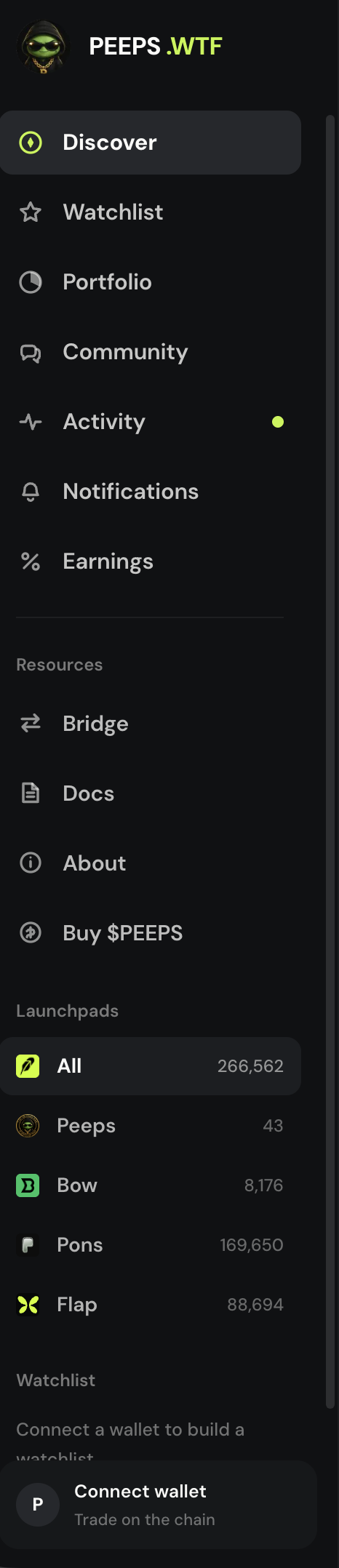
Open Bridge from the Discover sidebar or mobile menu under Resources (next to Docs and Buy $PEEPS). The modal embeds a LiFi route — typically Ethereum → Robinhood Chain — with optional external links for Jumper and the Arbitrum Canonical portal if you prefer those tools.
Bridging is not instant in every case. Wait until the destination balance shows in your wallet on Robinhood Chain, then refresh Peeps and confirm the network before you size a trade or publish a token.
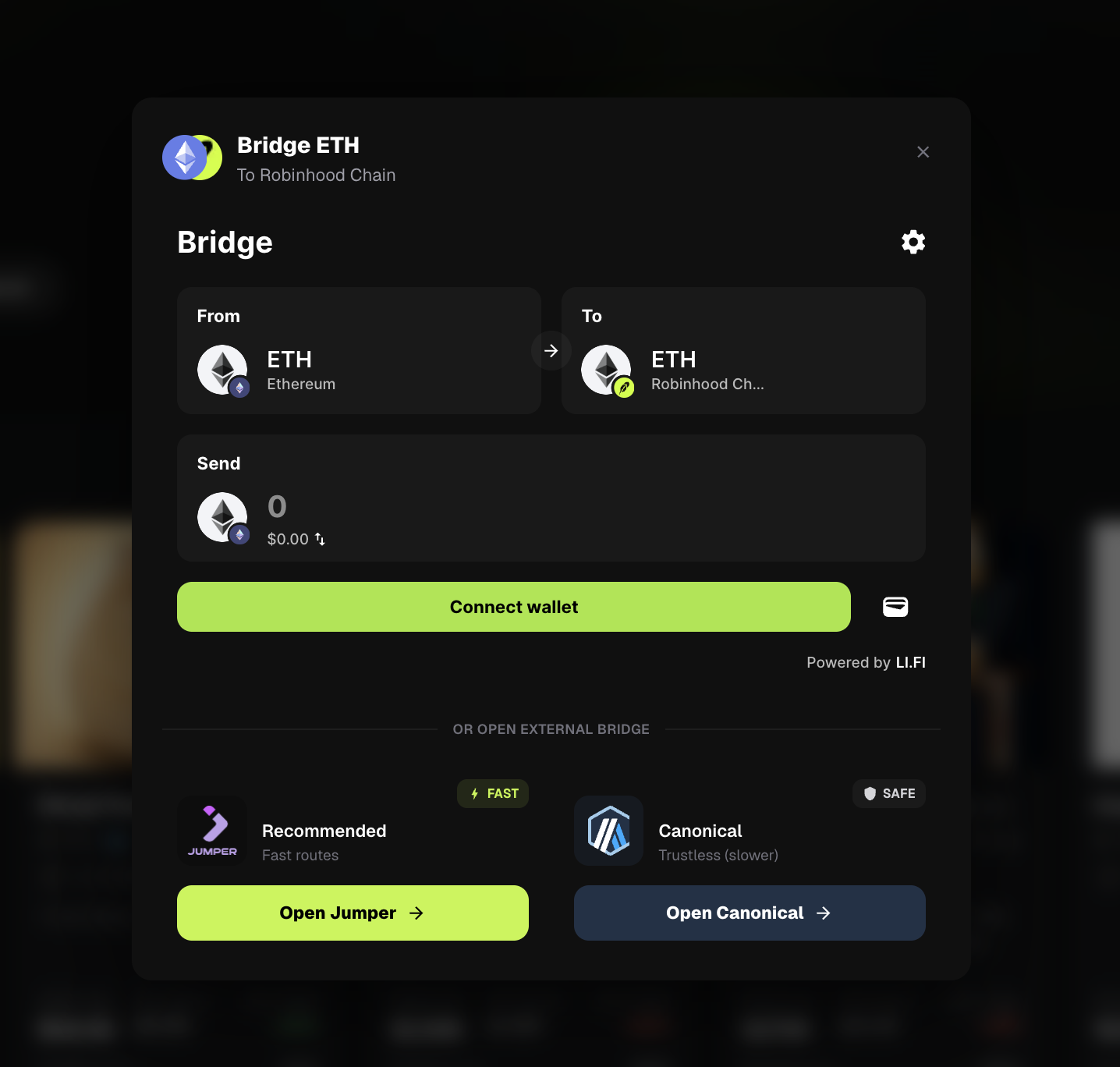
Where to open Bridge
- Sidebar / menu → Resources → Bridge
- Same Resources cluster as Docs and Buy $PEEPS
- Read Wallet & network first if you still need to import Robinhood Chain (Chain ID 4663)
In-app LiFi vs external options
| Option | What it is | When to use it |
|---|---|---|
| LiFi (in-app) | Embedded bridge widget inside the Peeps Bridge modal | Default path — stay on peeps.wtf and route ETH toward Robinhood Chain |
| Jumper | External jumper.xyz link prefilled for the same chain direction | If you already trust Jumper or the in-app widget is unavailable |
| Canonical | Arbitrum portal bridge link for the Robinhood Chain destination | If you prefer the canonical portal flow for this destination |
On mainnet the usual direction is Ethereum → Robinhood Chain. On Peeps testnet setups the modal points at Sepolia → Robinhood Chain testnet instead. Always double-check source and destination chains in the widget before you sign.
Connect on peeps.wtf
Use the wallet that should receive ETH on Robinhood Chain. Confirm you are on the official site.
Open Bridge
Sidebar or menu → Bridge. The LiFi widget loads in the modal; keep the panel open while you review the route.
Review route and amount
Confirm from-chain, to-chain (Robinhood Chain), token (ETH), and amount. Gas on the source chain is separate from later Peeps gas.
Check chains and amount before signing on the source network. Sign and wait
Approve in your wallet, then wait for the bridge to complete. Do not assume Peeps balances update the second you click Confirm.
Switch network and trade
When ETH arrives, switch the wallet to Robinhood Chain, refresh Peeps, and only then buy, sell, launch, or claim.
Fund the chain, then use Peeps
Bridge is infrastructure, not a trade tip. Move ETH onto Robinhood Chain, wait for arrival, then Discover, Create, or claim as usual. External Jumper and Canonical links are backups — the in-app LiFi path is the default.
- LiFi in-app by default
- Jumper and Canonical as external alternatives
- Wait for arrival before sizing trades
Terms you will see
- Bridge
- Resources → Bridge moves Ethereum (or other chain) ETH onto Robinhood Chain as Robinhood ETH for gas, trades, and create.
- Robinhood ETH
- ETH already on Robinhood Chain. Ethereum mainnet ETH alone cannot pay Peeps gas until you bridge.
- LiFi
- Embedded bridge widget inside the Peeps Bridge modal (default Ethereum → Robinhood Chain).
- Jumper
- Optional external bridge site linked from the modal.
- Canonical
- Optional Arbitrum portal bridge link for the Robinhood Chain destination.
- Arrival
- When destination balance is actually available on Robinhood Chain — after that you can trade or create.