
Using Peeps · Explore
Watchlist
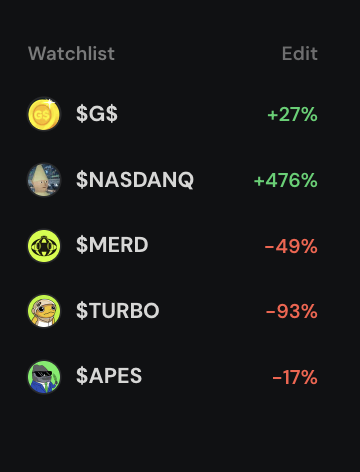
Star tokens on Discover or token pages, then reopen your wallet-synced shortlist from the sidebar or Profile.
At a glance
Personal shortlist of starred tokens — syncs with your wallet; same set on sidebar Watchlist and Profile → Watchlist. Not portfolio advice.
Quick tip
Keep the list short. Open from Discover sidebar, mobile menu, or Profile → Watchlist.
Watchlist is your personal favorites list — the place you park launches you want to revisit without hunting Discover again. Use it when you are comparing a few names, watching final-stretch progress toward graduation, or keeping an eye on a graduated pool after the bonding-curve phase ends.
It is not a portfolio valuation tool and it is not a signal board. Starring a token only means “show me this again.” Peeps does not treat your stars as recommendations, rankings, or risk scores. Held positions live under Profile → Held; Watchlist is simply a shortlist for discovery.
Stars sync best when your wallet is connected (and you sign in when Peeps asks). That way the same list follows you from desktop to phone. Without a connection you can still browse Discover, but a durable, cross-device watchlist expects connect.
Most people star from Discover cards or a token page, then open Watchlist from the Discover sidebar, the mobile menu, or Profile → Watchlist. Keep the list short so it stays useful when markets move fast.
Open your shortlist
Watchlist lives in the Discover sidebar and the mobile menu. Connect your wallet so the same stars follow you across devices. Open any row to jump back to the token page for chart, Thread, and Buy / Sell — the shortlist itself never replaces verifying the contract.
- Star from cards or token pages
- Profile → Watchlist shows the same set
- Keep the list short so it stays usable
Where to find it
Watchlist is a destination and a control. The destination is where you review saved tokens; the control is the star on cards and pages that adds or removes them.
- Discover sidebar → Watchlist
- Mobile menu → Watchlist
- Star / favorite on Discover cards and token pages
- Profile → Watchlist tab (same saved set, profile-centric layout)
- Direct habit: browse /launchpad, star, then reopen Watchlist from the sidebar
What a star does
A star is a bookmark tied to your connected wallet. It does not buy the token, move funds, or notify other people. Unstarring removes it from your list without affecting the launch or anyone else’s favorites.
Connect your wallet
Use Connect in the header or account entry so favorites can sync to your address. Sign in when Peeps prompts you — that signature should not transfer funds.
Star tokens as you browse
On Discover cards or on a token page, tap the star / favorite control. The icon should update when the action succeeds. Star from Activity or Community only after you open the real token page and confirm the contract.
Open Watchlist to compare
Use the sidebar or menu Watchlist entry — or Profile → Watchlist — to see your shortlist. Open any row for charting and trading.
Unstar when you are done
Remove tokens you no longer care about so the list stays scannable. A shorter watchlist is easier to act on during fast markets.
Star what you want to revisit
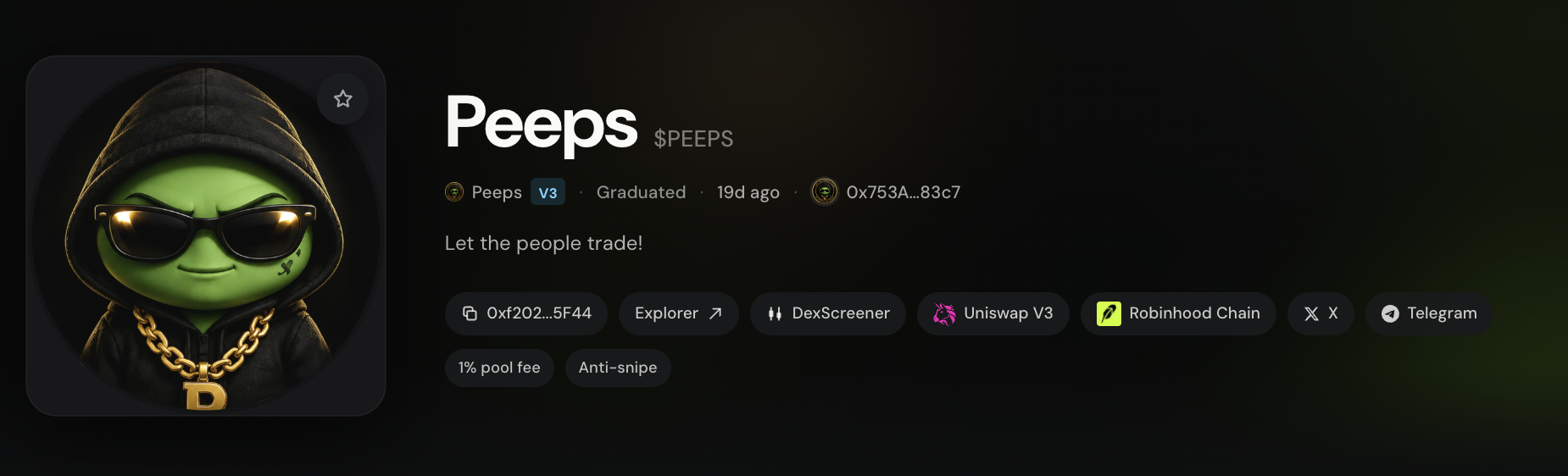
The star on Discover cards and token pages adds a launch to your Watchlist. Use it for final-stretch Classic V3 progress, Tax V4 launches you are studying, or graduated pools you want handy. Unstar freely — cluttered lists slow you down when quotes move.
- Watchlist is a shortlist, not portfolio advice
- Connect to sync across devices
- Profile → Watchlist shows the same saved set
Watchlist vs Held vs Activity
These three surfaces sound related but answer different questions. Watchlist is “tokens I want to see again.” Held is “positions Peeps can index for my wallet.” Activity (platform-wide at /launchpad/activity, or Profile → Activity) is “what happened,” not “what I saved.”
| Surface | Route / tab | What it answers |
|---|---|---|
| Watchlist | Sidebar Watchlist · Profile → Watchlist | Which launches did I bookmark? |
| Held | Profile → Held | What does this wallet appear to hold? |
| Activity | /launchpad/activity · Profile → Activity | What launched, traded, or claimed recently? |
Terms you will see
- Watchlist
- Your starred shortlist of tokens, synced when your wallet is connected.
- Star / favorite
- Control on cards and token pages that adds or removes a token from Watchlist.
- Profile → Watchlist
- The same saved set shown inside your own profile tabs.
- Held
- Indexed positions on Profile — different from a starred shortlist.