
Using Peeps · Social
Community
Social home at /launchpad/community — For you and Following callout feeds, Rooms with chat + coin pane, and the caller leaderboard.
At a glance
Social home: For you · Following · Rooms — callouts, caller leaderboard, room chat + coin pane. /launchpad/callouts redirects here.
Quick tip
Connect to post. Rooms and callouts are culture, not due diligence — verify contracts before trading tips.
Community (/launchpad/community) is the social home for callouts and token rooms. It is where culture sits next to the chart: short spotlights from traders, longer conversations in rooms, and a caller leaderboard that shows who has been active — not who Peeps endorses.
Callouts live here under For you and Following. /launchpad/callouts redirects to Community on purpose so there is one place to look. Rooms complement the per-token Thread on token pages: use Community when you want conversation across launches; use Thread when you are already trading a specific coin.
Connect your wallet (and sign in when prompted) to post. Reading is often open; posting and following are account actions. Peeps will never ask for your seed phrase in a room, a callout, or a DM that claims to be support.
Treat every tip as entertainment until you verify the contract on the token page. Busy rooms and loud callouts are culture signals — they are not due diligence, audits, or price guarantees.
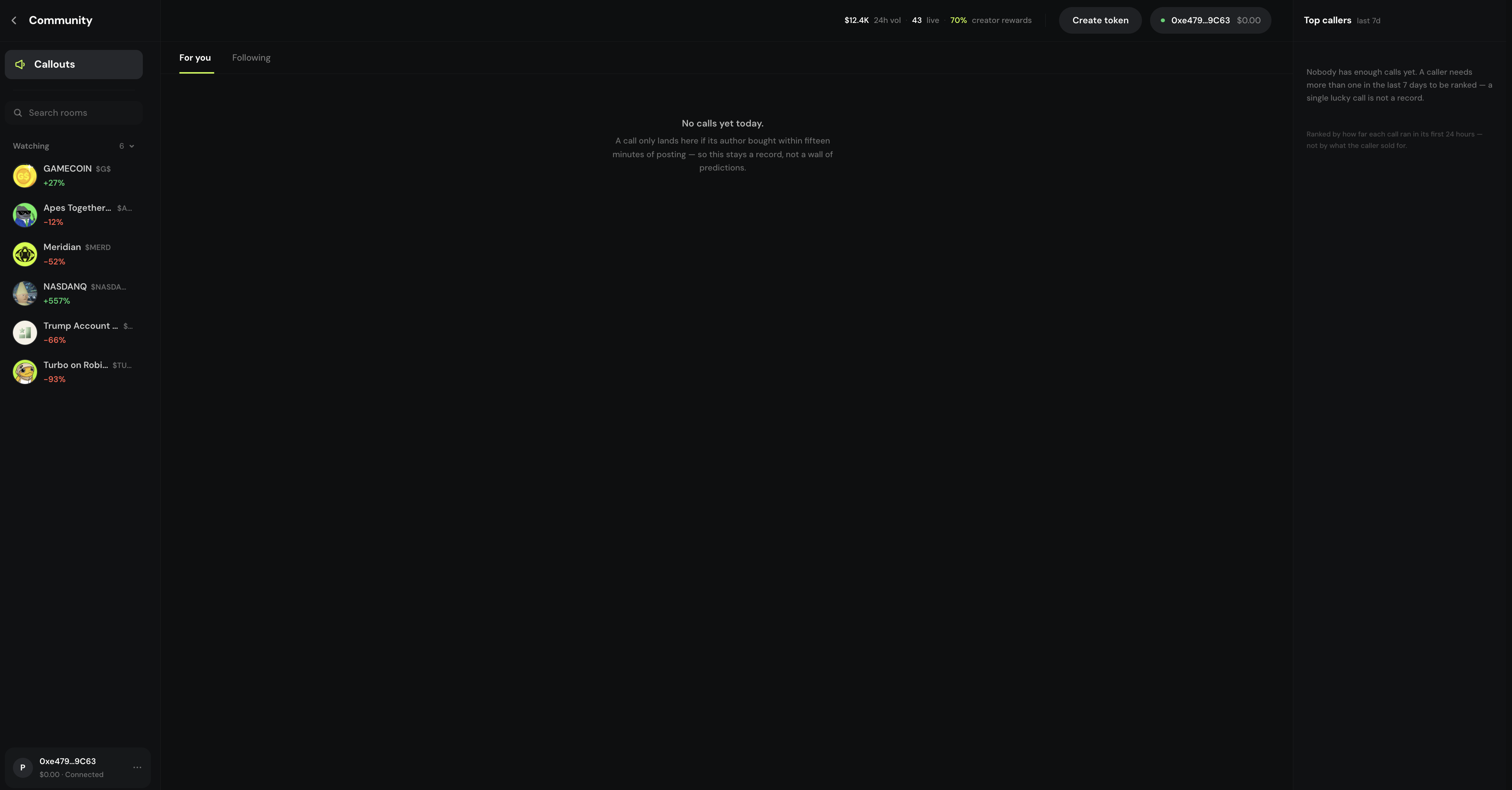
One home for callouts and rooms
Community hosts callout feeds (For you / Following), Rooms, a caller leaderboard, and room chat with a coin pane. Connect to post. Chat is culture — always verify contracts on the token page before you trade a tip.
- Tabs: For you · Following · Rooms
- /launchpad/callouts redirects here
- Caller leaderboard ranks active callers
Where to find it
- Sidebar / menu → Community
- Direct route: /launchpad/community
- /launchpad/callouts → redirects to Community
- Token Thread on a token page for per-coin chat (related, not the same page)
For you
For you is the discovery-oriented callout feed. It surfaces community spotlights so you can scan what people are highlighting. Open any callout into the token page before you size a trade — never ape from the feed card alone.
Following
Following shows callouts from callers you follow. Follow wallets from public profiles or rooms when their judgment seems worth watching. Following narrows noise; it does not transfer responsibility for verifying contracts.
Rooms
Rooms are token-linked conversation spaces. Browse Rooms, open one, and you get thread chat beside a coin pane so the talk stays tied to a launch. Use rooms for updates and culture; use the token page Buy / Sell panel when you are ready to trade.
Browse For you or Following
Scan callouts, then open any highlight into the token page. Copy the contract and compare before you size in.
Open Rooms
Pick a room for thread chat beside the coin pane. Connect (and sign in when prompted) to post.
Jump back to trade
When conversation points at a level or event, use the token page Buy / Sell panel — not screenshots of someone else’s wallet.
Rooms are culture, not due diligence
Inside a room you get chat plus coin context. Follow callers you trust from rooms or profiles so their calls land under Following. Peeps will never ask for your seed in a room.
- Callout windows also appear in token Thread when open
- Spotlight ≠ safety
- Verify contracts before you ape a tip
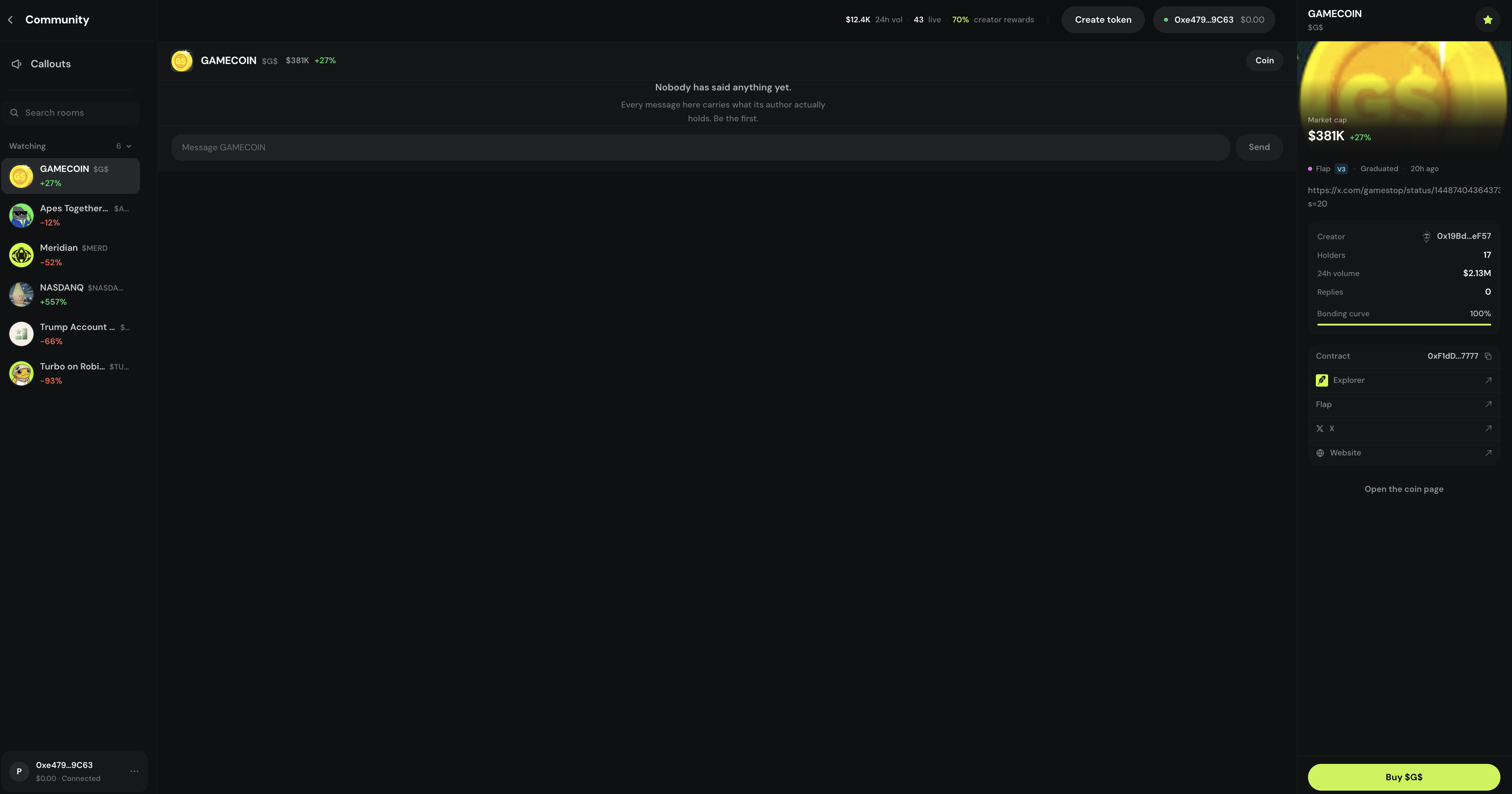
Caller leaderboard
The caller leaderboard ranks active callers beside Community feeds. It measures calling activity, not token safety or future returns. Use it to find voices to follow — then still open every contract yourself.
Terms you will see
- For you / Following / Rooms
- Community tabs for callout feeds and room browsing.
- Callout
- Community spotlight from trading + chat — not investment advice.
- Caller leaderboard
- Ranking of active callers shown beside Community feeds.
- Coin pane
- Token context beside room chat so conversation stays tied to a coin.
- Token Thread
- Per-token chat on the token page when you are already looking at that coin.