
Using Peeps · Trading
Token pages
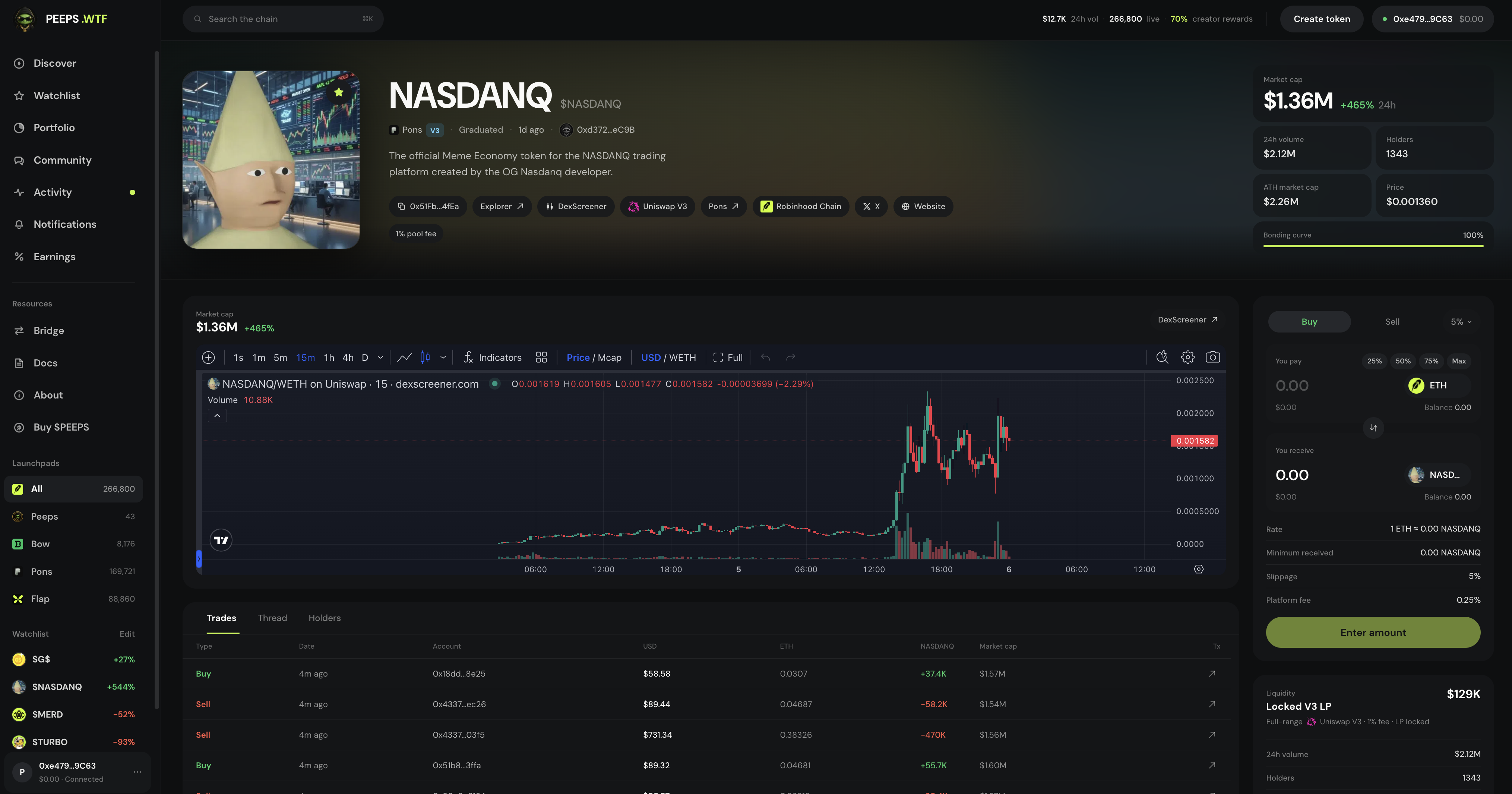
Token detail pages — chart Line/Candles and timeframes, progress, Trades/Thread/Holders, Buy / Sell, and creator claims.
At a glance
Line/Candles · 1M/5M/1H/ALL; Trades/Thread/Holders; Claim fees or Fees & dividends; pause notices for graduating / anti-bundle / anti-snipe.
Quick tip
Copy the contract from the token page and verify it matches what you expect before large trades.
Each launch has a dedicated token page. It is the source of truth in the app for that token’s market data, launch progress, creator identity, and community thread. If Discover is the catalog, the token page is the product detail view — chart, trade, and chat in one place.
Spend a minute reading the page before you trade. Metadata, contract address, and social links are how you avoid lookalike tickers and fake screenshots circulating in group chats. Prefer opening tokens from Discover or official peeps.wtf links.
Charts toggle Line vs Candles with timeframes 1M · 5M · 1H · ALL. After graduation, many Peeps tokens switch to an embedded DexScreener view. Progress toward graduation on Classic V3 is a stage meter — not a quality score, and locked liquidity later is not a price floor.
Creators claim from the same page: Claim fees on Classic V3, or Fees & dividends on Tax V4. Traders use Buy / Sell with presets and slippage. Thread hosts chat and callout mode when a window is open; Community is the wider social home.
Where to find a token page
- Discover cards → open any token
- Activity / Community / Watchlist / Notifications deep-links
- Shared peeps.wtf token URLs
- Profile → Created / Held / Watchlist rows
What you will see
- Name, ticker, image, and description
- Contract address and creator wallet
- Price, market cap, volume, and holders
- Chart — Line or Candles; timeframes 1M / 5M / 1H / ALL; graduated tokens often show DexScreener
- Buy & sell panel with 25/50/75/Max presets, quote rows, and slippage
- Tabs: Trades / Thread / Holders (mobile also Chart / Info)
- Creator Claim fees (Classic V3) or Fees & dividends (Tax V4)
- Social links and venue context when aggregated
Chart and tabs
Toggle Line vs Candles and pick 1M, 5M, 1H, or ALL. After graduation, many Peeps tokens switch to an embedded DexScreener chart. Below (or on mobile in tabs), use Trades for fills, Thread for chat and callouts, and Holders for concentration. Mobile adds Chart and Info tabs so the full page still fits on a phone.
Progress toward graduation
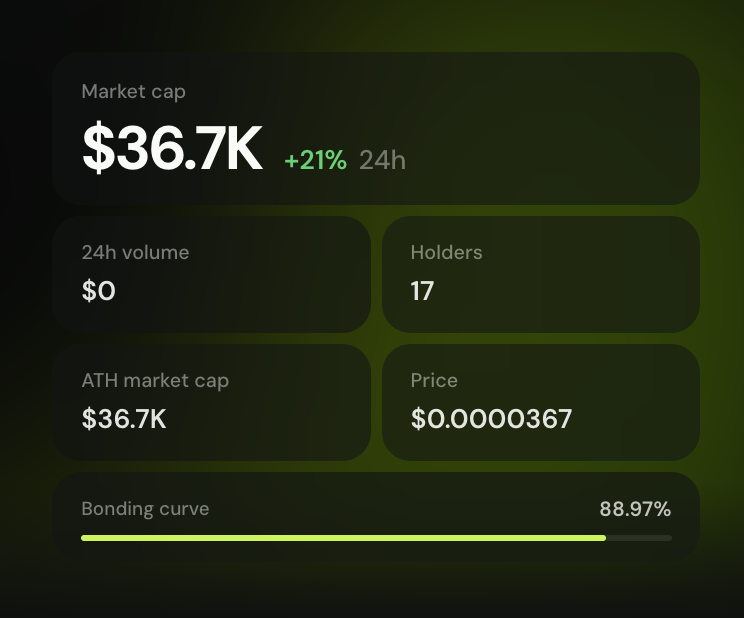
On Classic V3 launches still in the bonding-curve phase, progress shows how close the token is to graduation into a locked Uniswap V3 pool. Tax V4 launches show their own tax and locked Uniswap V4 context — read that panel before you assume Classic V3 mechanics apply one-for-one.
- Graduation = stage change into pooled trading
- Locked liquidity is not a price floor
- Charts may switch to DexScreener after graduation
Creator claims on the page
If you are the creator (or otherwise eligible), the hero shows Claim fees on Classic V3 launches, or Fees & dividends on Tax V4 launches. Claiming is an on-chain transaction — keep ETH for gas.
Pause notices traders see
- Graduating — buys paused while graduation runs; sells may still work
- Anti-bundle window — short fair-launch clearing; sells may pause while buyers commit
- Anti-snipe — early buy caps; oversized buys are rejected with a snipe-limit message
How to verify
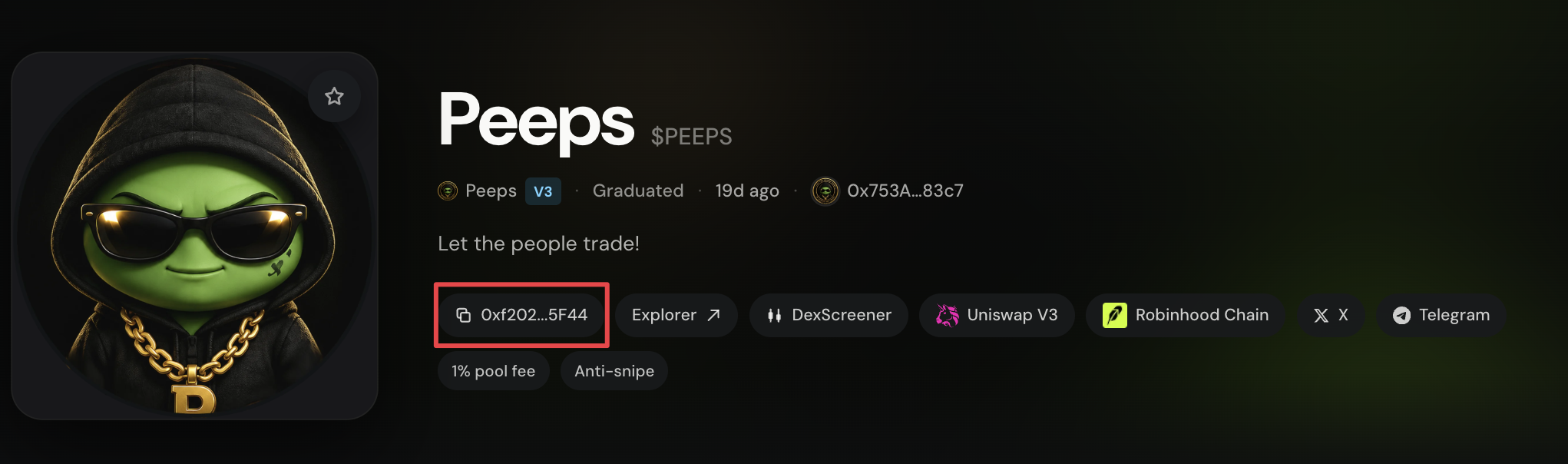
Copy the contract from the token page
Use the copy control next to the address. Compare it character-for-character with any address someone sent you.
Prefer official entry points
Open tokens from Discover (/launchpad), Activity, or links that clearly stay on peeps.wtf.
Check creator and socials
Open the creator profile when available and click through social links. Broken or mismatched branding is a yellow flag.
Chat vs market data
Thread is culture and commentary. Market stats and the trade panel are what settle on-chain. Do not treat a bullish thread as confirmation that a contract is safe. Callouts live in Community and in token chat when a window is open — still community signal, not advice.
Contract first, ticker second
The contract address on the token page is the identity that matters. Tickers can collide across venues. Copy from the page, compare carefully, and prefer opening tokens from Discover or official peeps.wtf links.
- Ticker collisions are common
- DM’d addresses are a classic scam vector
- Claim fees / Fees & dividends are claim tools — not a safety seal
Terms you will see
- Line / Candles
- Chart view toggle on the token page before DexScreener takes over after graduation.
- 1M / 5M / 1H / ALL
- Chart timeframes available on Peeps-native charts.
- Trades / Thread / Holders
- Main activity tabs; mobile also exposes Chart and Info.
- Claim fees
- Classic V3 creator claim entry on the token hero.
- Fees & dividends
- Tax V4 claim panel — creators collect LP/fees; eligible holders claim tax dividends here (not in Referrals).
- DexScreener
- Graduated chart embed many tokens switch to after pool trading begins.
- Contract address
- On-chain identity of the token — more reliable than the ticker alone.