
Using Peeps · Account
Profile & portfolio
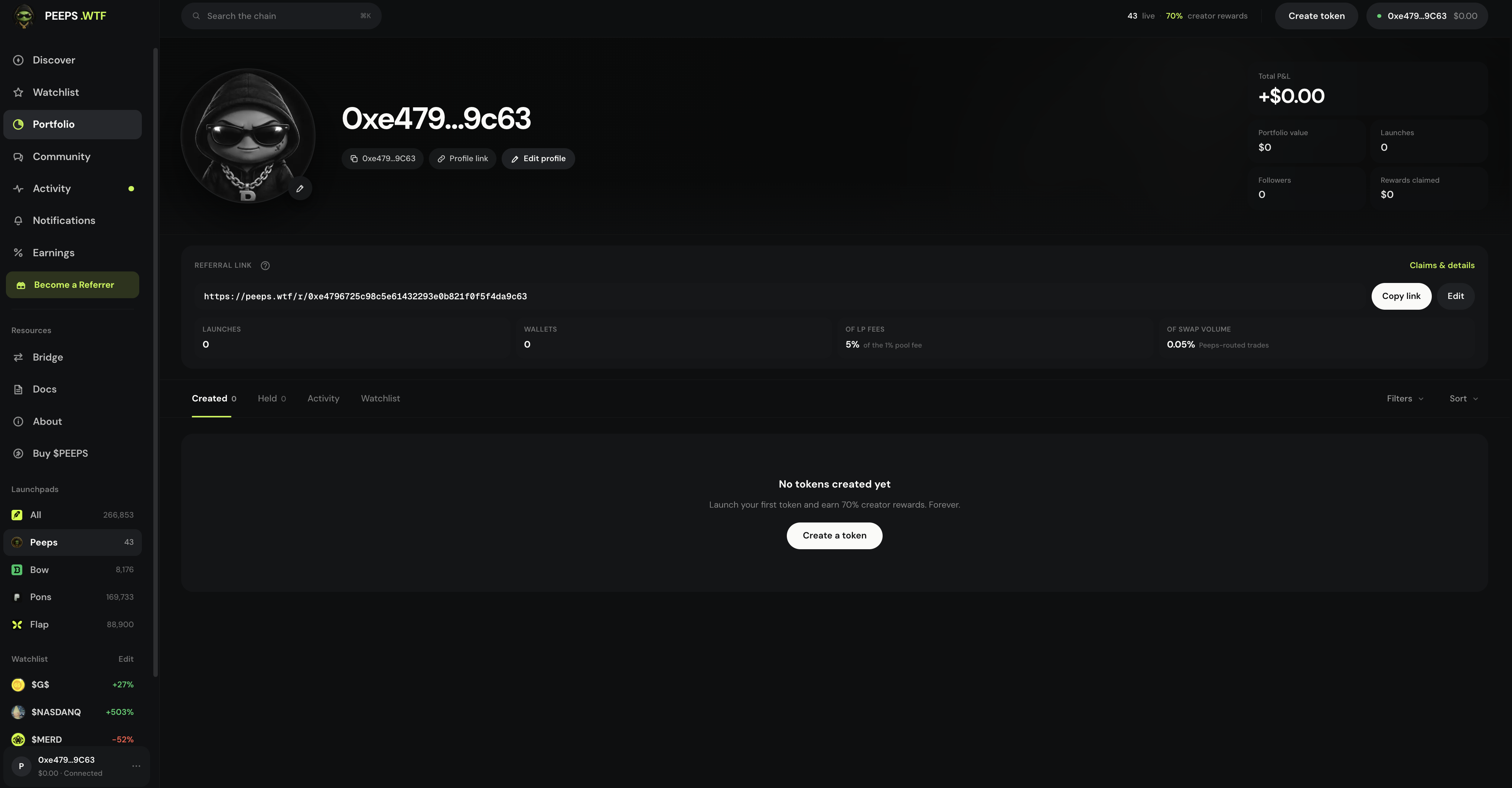
Your hub at /launchpad/profile — Created, Held, Activity, and Watchlist, plus edit, follow, referral card, and claims.
At a glance
Own hub: Created · Held · Activity · Watchlist — plus edit, follow, referral card + claims. Public profiles show Created · Activity.
Quick tip
Filter Created to Claimable fees when balances are ready. Held ≠ Watchlist.
Your profile (/launchpad/profile) is the hub for launches you created, positions you hold, your activity feed, and your watchlist. It is also where you edit how you appear, follow other wallets, and open your referral card and claims — so account work stays in one place instead of scattered across the board.
Connect your wallet (and sign in when prompted) for the full account experience. Public profiles for other wallets remain viewable from activity rows, holders, and community posts; they show a smaller set of tabs so visitors see launches and activity without your private shortlist.
Sidebar labels can say Portfolio, Watchlist, or Earnings — those entries deep-link into your profile or a specific tab. The durable route is still /launchpad/profile. Notifications sit nearby in the sidebar but are a separate private inbox at /launchpad/notifications.
Profile is identity and inventory, not a guarantee of performance. Created tokens can go quiet; Held balances can go to zero; Activity is history, not a forecast. Use Claimable fees on Created when balances are ready — claims need Robinhood Chain gas ETH.
Where to find it
- Direct route: /launchpad/profile
- Sidebar → Portfolio (your profile) or Watchlist / Earnings deep-links
- Account / avatar entry after connect
- Public profiles: open from Activity rows, holders, Community posts, or shared links
Tabs you will use
On your own profile you get four tabs. Created lists launches from this wallet. Held shows positions Peeps can index. Activity is this wallet’s trades and launches. Watchlist is the same starred set you manage from Discover.
| Who | Tabs | Typical actions |
|---|---|---|
| Your own profile | Created · Held · Activity · Watchlist | Open tokens, claim from Created, manage stars |
| Public profile | Created · Activity | See what they launched and recent activity |
- Created — launches from this wallet; filter to Claimable fees when balances are ready
- Held — positions Peeps can see for your address (not the same as Watchlist)
- Activity — trades and launches for that wallet (not the platform Activity page)
- Watchlist — starred tokens on your own profile only
Edit, follow, referrals
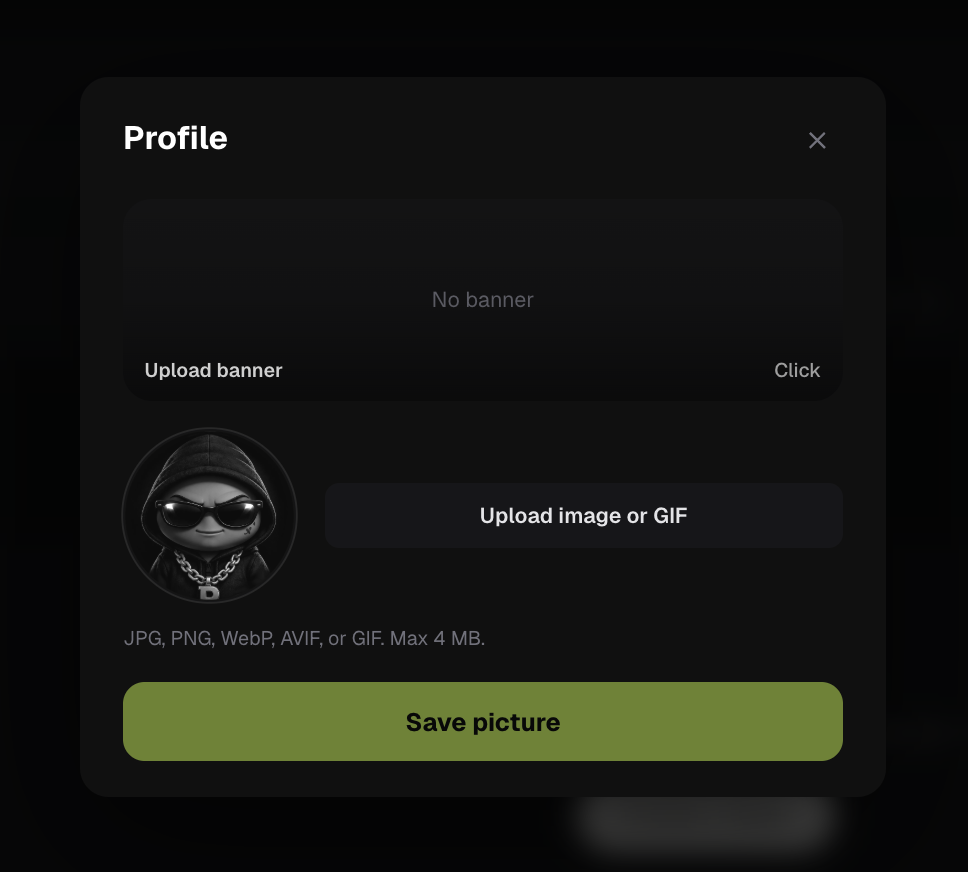
Profile edit sets username, avatar, and banner — how you appear when you launch, post, or share invites. Follow on a public profile adds that wallet to your social graph so their callouts can land under Community → Following. The referral card on your own profile holds your invite link and opens claims.
Edit profile
Update username, avatar, and banner from profile edit. Connect and sign in when prompted. Avoid impersonating brands you do not own.
Follow other wallets
On a public profile, use Follow / Following to keep creators you care about in your social graph (feeds into Community → Following).
Referral card and claims
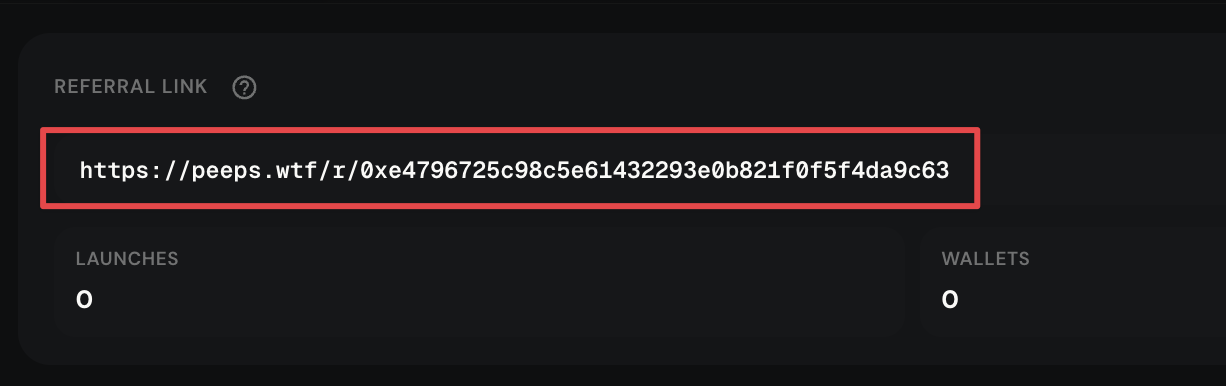
On your own profile, the referral card shows your invite link. Open the claims modal to review and claim referral rewards when available (see Referrals). Claims need a signature and gas.
Set how you appear
Profile edit lets you choose a username, avatar, and banner. Connect and sign in when prompted — sign-in messages prove you control the address and should never transfer funds.
- Own tabs: Created · Held · Activity · Watchlist
- Public tabs: Created · Activity
- Claimable filter lives on Created for your launches
Referrals without leaving Profile
Your referral card sits on your own profile so you can copy an invite and open the claims modal without hunting a separate tab. Eligible rewards still need real attributed activity — and a wallet signature plus gas to claim.
- Sidebar Earnings deep-links Created
- Watchlist sidebar opens the Watchlist tab
- See Referrals docs for invite terms
Terms you will see
- Created
- Launches deployed from this wallet — claimable filter on your own profile.
- Held
- Positions Peeps can index for your address.
- Activity
- Wallet trades and launches feed on the profile — not the platform Activity page.
- Watchlist
- Starred tokens on your own profile (same stars as Discover).
- Follow
- Follow another wallet from their public profile.
- Referral card
- Invite link + claims entry on your own profile.